Trading Brokers Supported by LumiBot
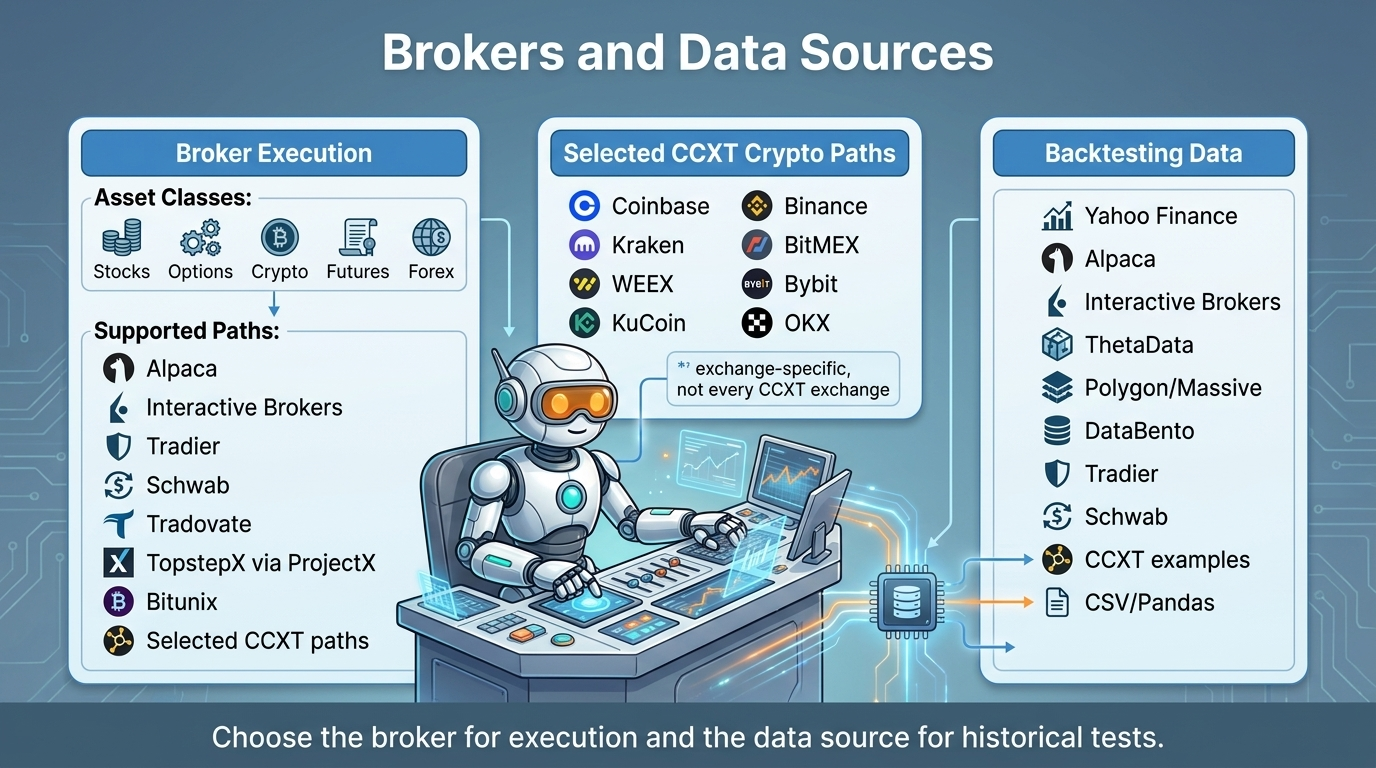
There are several different brokers that you can use to trade with Lumibot, and we’re adding more as we speak! Learn more about how they work and how to set them up here.
Broker path |
Main asset classes |
Authentication |
Setup |
|---|---|---|---|
Alpaca |
Stocks, ETFs, options, crypto |
API keys or OAuth |
|
Charles Schwab |
Equities, ETFs, single-leg options |
OAuth application |
|
Interactive Brokers REST |
Multi-asset markets supported by the account |
Client Portal session |
|
Interactive Brokers legacy |
Multi-asset markets supported by TWS |
TWS or IB Gateway |
|
CCXT exchanges |
Crypto spot, margin, or derivatives by exchange |
Exchange API keys |
|
Bitunix |
USDT perpetual futures |
API key and secret |
|
Tradier |
Stocks and options |
Access token and account number |
Broker setup is easier on BotSpot because the broker connection, strategy runtime, account checks, monitoring, alerts, audit history, and kill-switch controls live in one platform.
Connect brokers through the website. Avoid rebuilding secret storage, environment variables, broker account checks, and deployment configuration for every server.
Start from backtested code. Move the same Lumibot strategy from hosted backtesting to paper or live trading without rebuilding the infrastructure around it.
Monitor what the bot is doing. Review logs, trades, account state, alerts, and decisions in one place so you can understand why a strategy acted.
Use AI and MCP with broker context. BotSpot can work from the web app, your phone, Telegram, Discord, Claude, ChatGPT, Codex, Cursor, and other MCP clients while keeping the broker and strategy context together.

Contents:
- Alpaca API Trading with LumiBot
- Bitunix API Perpetual Futures Trading with LumiBot
- CCXT Crypto Trading and Backtesting with LumiBot
- Interactive Brokers API Trading with LumiBot
- Interactive Brokers Legacy
- Polymarket
- ProjectX / TopstepX
- Charles Schwab API Trading with LumiBot
- Order lifecycle and rejection details
- Prerequisites
- Environment variables
- First-time login
- Token life-cycle
- Supported functionality
- Order and position freshness
- Fast cancellation and request budgets
- Example
.env - Example strategy snippet
- Troubleshooting
- API Credentials
- Token Life-cycle & Auto-refresh
- Creating an App & Getting Keys
- OAuth2 Authentication Flow
- Sandbox vs Production
- Supported Assets & Order Types
- Market Data
- Rate Limits & Token Expiry
- Known Issues & Best Practices
- Example Strategy
- Support & Contact
- Tradier
- Tradovate